WhatsApp Flows: The Mini-App Inside Chat That Boosts Conversions (2026 Guide)
Learn how WhatsApp Flows create in-chat “mini-apps” for signups, bookings, surveys, and quotes—reducing drop-offs and increasing conversions with better UX.
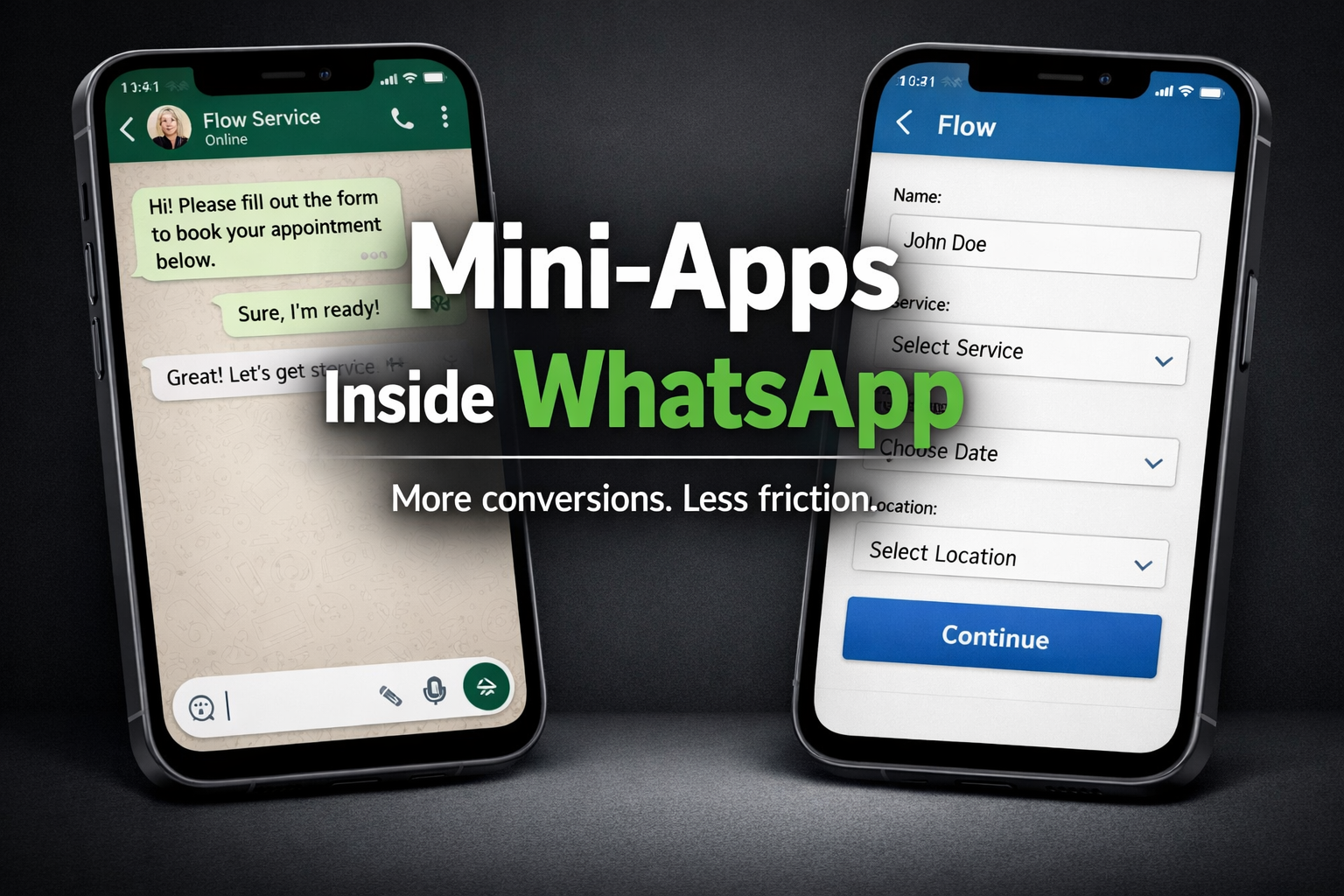
If you’ve ever tried to convert customers inside chat, you already know the biggest enemy: friction.
-
A user asks a question
-
You ask for details
-
They answer half of it
-
You ask again
-
They disappear
That’s exactly the problem WhatsApp Flows were built to fix.
Flows let you create structured, interactive experiences inside the chat—like a lightweight mini-app—so users can complete tasks (sign up, book, request a quote, submit feedback) without leaving WhatsApp. (WhatsApp Business)
In this guide, you’ll learn what Flows are, how they work, why they improve conversions, and the best practices that make them feel “premium” instead of “form-y”.
What are WhatsApp Flows?
WhatsApp Flows are a feature of the WhatsApp Business Platform that lets businesses build native, task-centric workflows inside a WhatsApp conversation—designed to improve task completion, reduce drop-offs, and create better customer experiences. (WhatsApp Business)
Think of Flows as a guided journey inside chat:
-
Multi-step screens (like pages)
-
Form inputs (text, dropdowns, radio buttons)
-
A clear “continue → submit” path
-
Optional connection to your backend via an endpoint for real-time data
Instead of “long back-and-forth messages and links,” Flows replace that with structured actions that people can finish fast. (WhatsApp Business)
Why Flows boost conversions (the real reason)
Flows don’t magically increase conversions because they’re “new.” They increase conversions because they remove the 3 biggest conversion killers:
1) They reduce cognitive load
Users don’t need to guess what to send. The Flow asks the right questions in the right order. Flows support structured form inputs like drop-downs, radio buttons, and text fields, which makes decisions easy. (WhatsApp Business)
2) They keep users in one place
Flows were designed to remove the need for an external website/app during key actions—meaning fewer drop-offs caused by switching contexts. (WhatsApp Business)
3) They make marketing campaigns “actionable”
When you pair Flows with marketing, you don’t just get clicks—you get completed actions (lead, booking, signup). WhatsApp explicitly highlights that pairing Flows with marketing campaigns can boost conversions by making experiences more streamlined and convenient. (WhatsApp Business)
What can you build with Flows? (high-impact use cases)
Here are practical use cases you can publish as examples (and later turn into templates):
Lead capture (newsletter / offers / events)
A user taps “Get 10% off” → Flow collects name + phone/email + preferences → submits.
WhatsApp highlights signups for newsletters, events, sales promotions as a key use case. (WhatsApp Business)
Booking & scheduling
User chooses service → picks date/time → confirms → receives confirmation message.
Flows can connect to an endpoint for dynamic interactions like availability checks. (WhatsApp Business)
Feedback & support intake
User selects issue category → enters order number → uploads details → gets a case number.
Flows are positioned as a faster way to collect info and provide smoother support experiences. (WhatsApp Business)
Quotes (insurance / loans / services)
User selects options → enters key details → submits → receives a quote or next step.
WhatsApp lists tailored quotes and loan lead capture as examples for Flows. (WhatsApp Business)
How Flows work (simple architecture)
A Flow can be simple or advanced depending on your needs.
Option A: Simple Flow (no backend required)
-
User opens Flow from a message
-
Completes the screens
-
Submits data
-
You receive the results and follow up
Great for: lead capture, basic surveys, event RSVPs.
Option B: Dynamic Flow (connected to your backend)
Flows can connect to an endpoint for real-time data exchange—useful for bookings, authentication, inventory checks, etc. (WhatsApp Business)
This is where your system can:
-
Validate data
-
Return available time slots
-
Confirm reservations
-
Trigger downstream automation (CRM, tickets, dashboards)
Tracking & optimization
WhatsApp also supports webhooks to track Flow performance—status changes, errors, and endpoint performance—so you can debug and optimize the journey. (WhatsApp Business)
Ways to build WhatsApp Flows (no-code to advanced)
WhatsApp describes multiple ways to create Flows depending on complexity:
1) Create Flows inside Message Templates (easiest)
There’s a “message templates creation Flow” inside WhatsApp Manager that’s drag-and-drop and doesn’t require JSON—best for quick starts. (WhatsApp Business)
2) Use the Flows Builder (for complex journeys)
For conditional logic and branching, developers can use the Flow Builder UI in WhatsApp Manager, which includes a code editor. (WhatsApp Business)
3) Use Flows JSON + Flows API (for scale)
WhatsApp describes Flows JSON as the blueprint defining the structure, logic, and UI elements, and mentions an API for programmatic management at scale. (WhatsApp Business)
UX best practices (this is where conversions are won)
If you want your Flow to feel like a premium mini-app (and not a boring form), use these rules:
1) One goal per Flow
Don’t mix “booking + feedback + signup” in one journey.
A Flow should answer a single question: What task are we helping the user complete right now?
2) Make the first screen extremely easy
Aim for:
-
1–2 inputs max
-
A clear value promise (“Get your quote in 30 seconds”)
-
A “Continue” that feels safe to tap
3) Prefer selection over typing
Typing is effort. Whenever possible:
-
Dropdowns for branches/locations
-
Radio buttons for choices
-
Buttons for yes/no
WhatsApp explicitly references structured inputs like drop-down menus and radio buttons as part of the Flow approach. (WhatsApp Business)
4) Ask for sensitive data last
Users trust you more after they’ve invested time and you’ve explained why you need it.
Bad: “Enter ID number” on screen 1
Better: show benefit → collect preferences → then request ID if needed.
5) Add “human escape hatches”
Even the best automation needs:
-
“Talk to support”
-
“I’m not sure”
-
“Back”
These reduce frustration and prevent rage-quit drop-offs.
Conversion playbook: 3 ready-to-publish Flow ideas
You can publish these as separate blog posts later too.
Flow #1: “Newsletter / Offers Signup”
Goal: grow leads
Screens:
-
Choose interests (dropdown)
-
Enter name + contact preference
-
Confirm
Flow #2: “Appointment Booking”
Goal: book a slot
Screens:
-
Pick service type
-
Pick date/time (dynamic if connected to endpoint)
-
Confirm + contact details
WhatsApp uses booking as a core example for Flows. (WhatsApp Business)
Flow #3: “Support Ticket Intake”
Goal: reduce back-and-forth
Screens:
-
Issue category
-
Order number
-
Description + attachment (optional)
-
Confirmation + case number
The official examples highlight feedback/contact flows as a strong use case. (WhatsApp Business)
Compliance & trust (don’t skip this)
Flows feel powerful—so customers will use them more—but trust is everything.
Practical trust rules:
-
Tell users why you’re collecting data (“to confirm your booking”)
-
Keep data fields minimal
-
Don’t request unnecessary personal info
-
Provide a clear “cancel” or “contact support” path
Also, if you’re sending Flows from templates as part of outbound campaigns, always ensure you’re messaging users who expect to hear from you.
FAQ
Are WhatsApp Flows available on iOS and Android?
WhatsApp’s own announcement states Flows are available for both Android and iOS devices. (WhatsApp Business)
Do I need developers to use Flows?
WhatsApp highlights that beginners can start with short/simple Flows without heavy technical builds, and more advanced users can use Flow Builder in WhatsApp Manager. (WhatsApp Business)
Can Flows connect to my system (CRM, booking engine)?
Yes—WhatsApp describes connecting Flows to an endpoint for real-time data exchange, plus webhooks for monitoring performance. (WhatsApp Business)
Final takeaway
Flows are not “just another chatbot feature.” They’re a conversion tool.
If your business depends on WhatsApp for leads, bookings, support, or quotes, Flows let you turn conversations into completed actions—with less friction, less drop-off, and better user experience. (WhatsApp Business)
And when you design them like mini-apps (simple, guided, user-friendly), they don’t just look modern—they perform.